
By default, we include Let's Encrypt SSL certificates free of charge with your web hosting. As a general rule, the SSL certificate is activated automatically 2 hours after your domain has been fully configured.
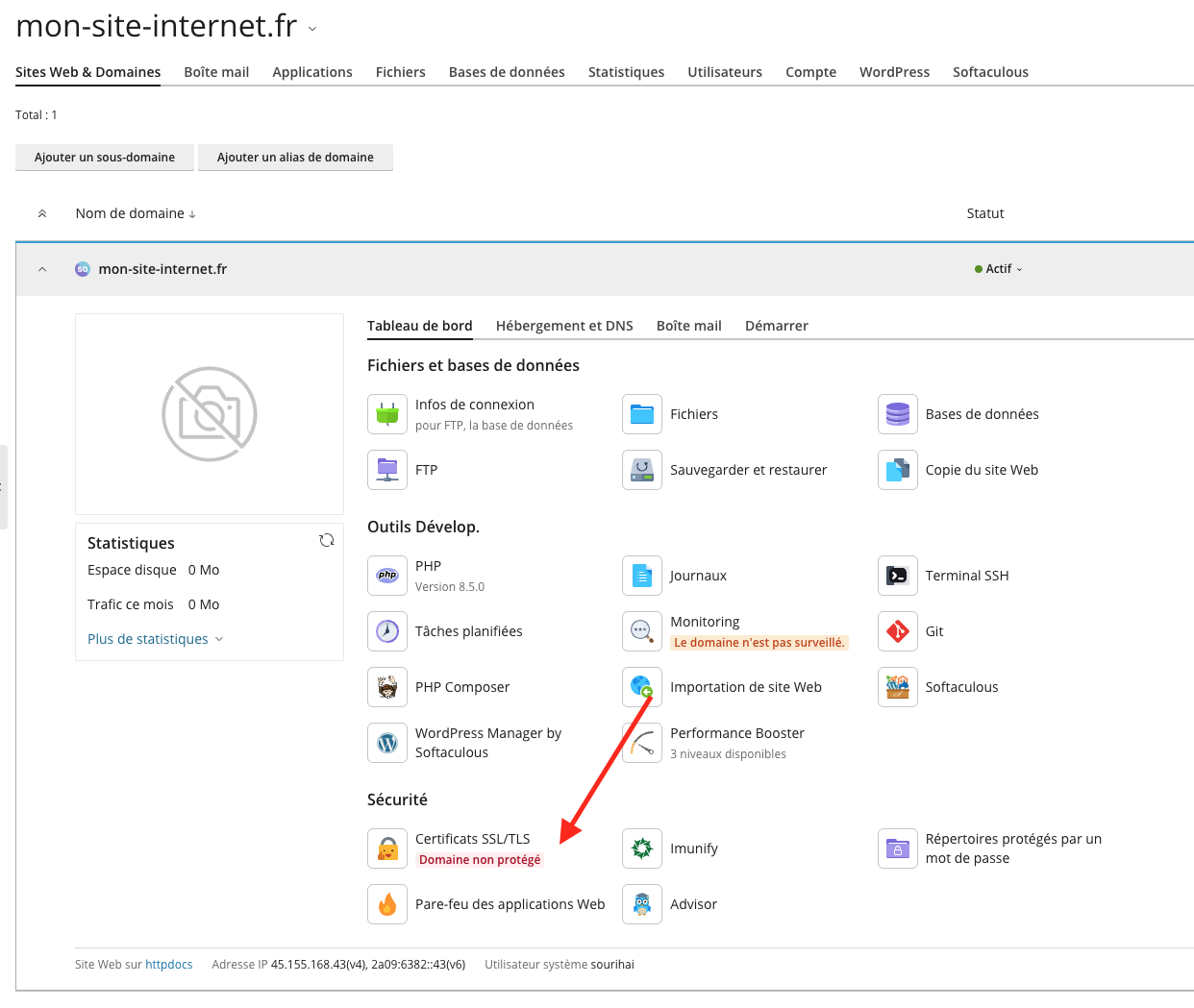
If this certificate has not been activated automatically, or if you would like to manage the SSL certificate of your website yourself, you can perform these actions directly from the Plesk management panel of your hosting, via the "SSL/TLS Certificate" function in the "Dashboard" tab:
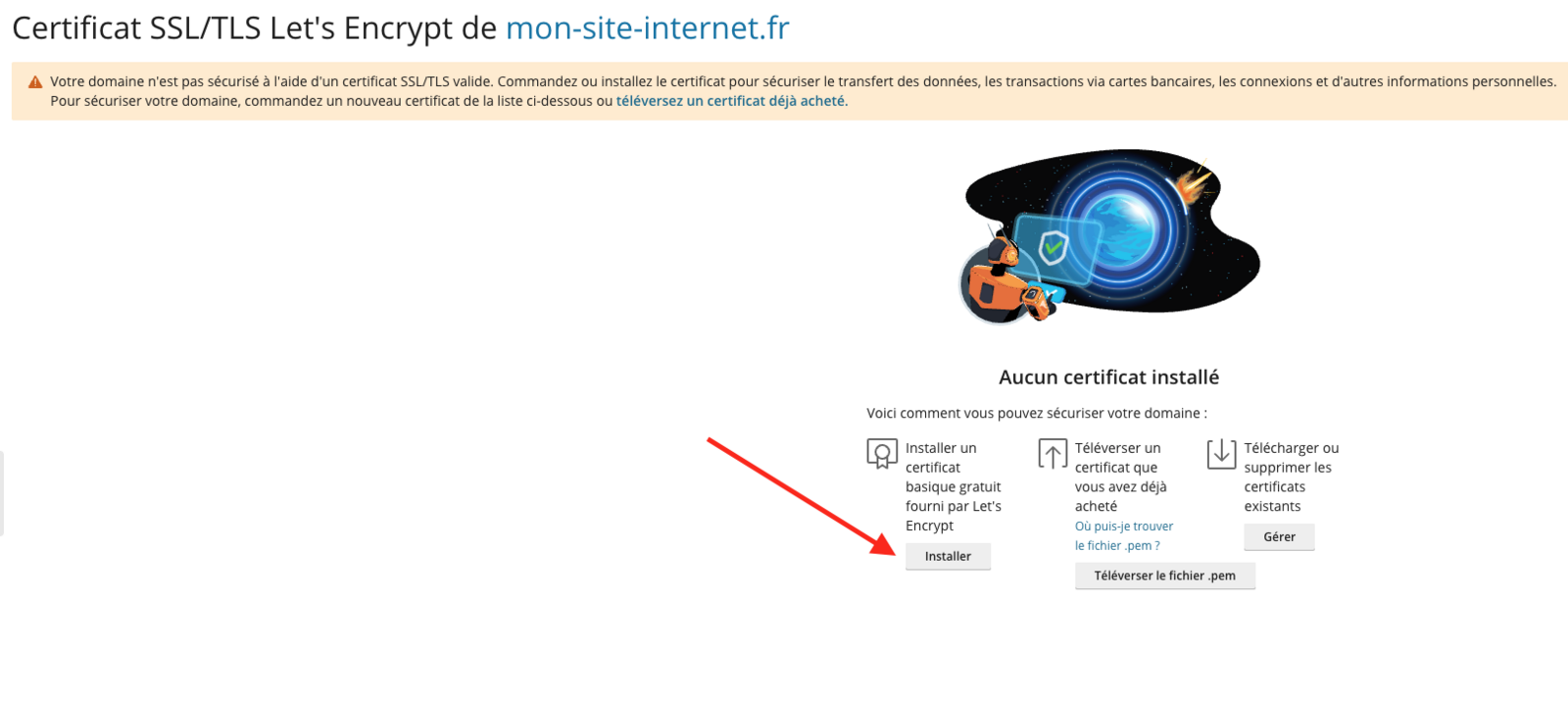
From this page, you can create a new SSL certificate using the "Install" button:
You will then just need to choose the SSL certificate options. We recommend checking only the options shown in the screenshot below:
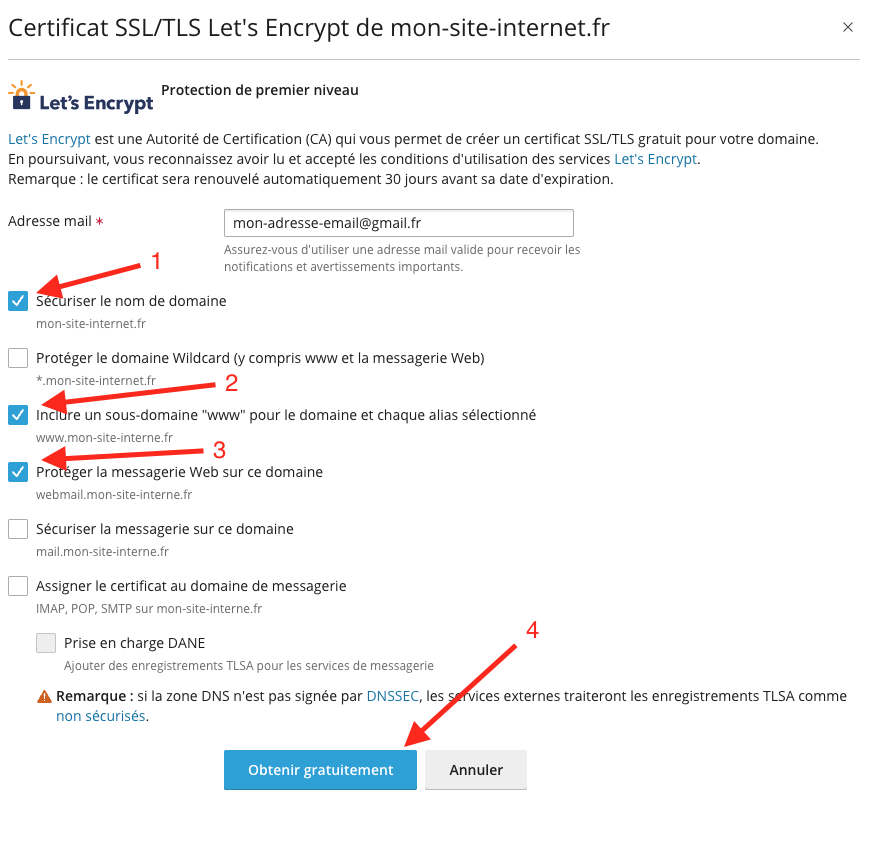 After clicking the "Get it free" button, the SSL certificate will be generated and installed automatically on your website within a few minutes. If the certificate does not appear in your browser, we recommend closing and fully reopening your browser (to make sure your browser's SSL cache is cleared).