
After a mishandling (kernel change, deletion of a system file, etc.), it can happen that you damage the operating system of your dedicated server. In this situation, it is possible that your dedicated server can no longer boot at all.
In such a situation, our support team unfortunately cannot assist you. We do not have access to your dedicated server, for technical reasons as well as for the confidentiality of your data. However, your management panel provides everything you need to start a rescue system on your dedicated server, so you can regain access to your data and repair your dedicated server.
Start the dedicated server in rescue mode#
Go to the management panel of your dedicated server and click on the Mode secours (Rescue mode) button:

A pop-up then appears which you simply need to fill in:
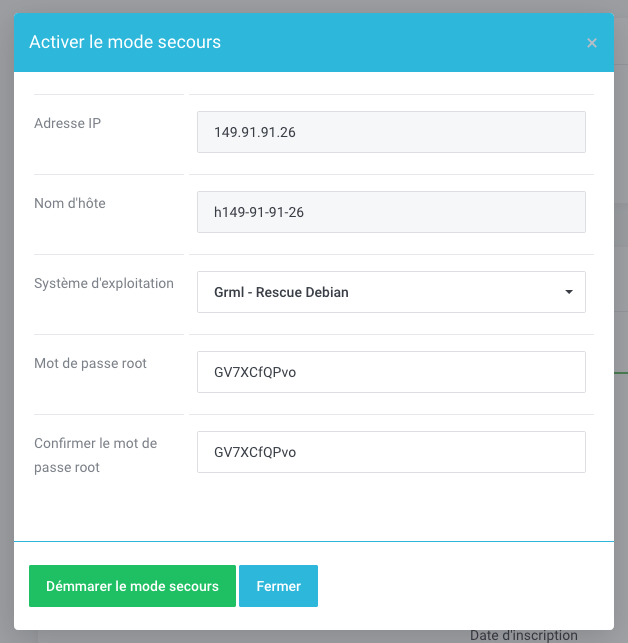
By default, our panel starts your dedicated server on the Grml rescue system and generates a password for you. Make sure to write it down.
To confirm switching to rescue mode, click on Démarrer le mode secours (Start rescue mode)